
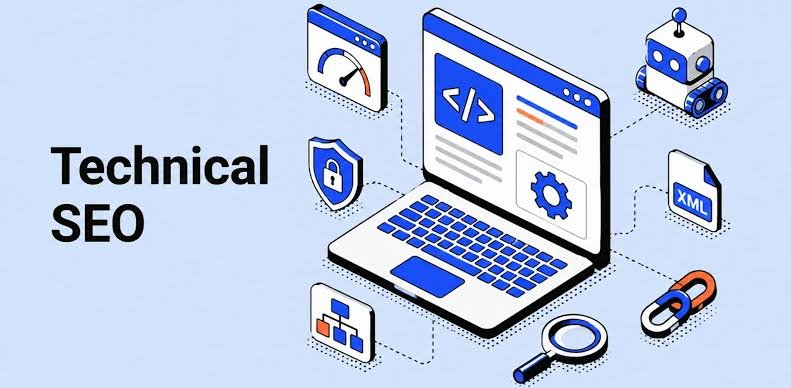
Technical SEO: A Complete Beginner’s Guide to Website Optimization
Introduction Search engine optimization is not only about keywords and content. A website can have excellent articles and valuable information, but if search engines cannot properly crawl, understand, or index the website, achieving strong organic visibility can become difficult. This is where Technical SEO becomes important. Technical SEO is the process of improving the technical structure and performance of a website so that search engines can crawl, interpret, index, and potentially rank its pages more effectively. For beginners, Technical SEO may sound complicated. Terms such as crawling, indexing, canonical tags, XML sitemaps, robots.txt, redirects, structured data, and Core Web Vitals can initially feel overwhelming. The good news is that you do not need to be an expert developer to understand the fundamentals. In this guide, we will explain Technical SEO in simple language and cover the most important areas you should know. What Is Technical SEO? Technical SEO refers to the optimization of the technical aspects of a website that affect search engine crawling, indexing, performance, security, and accessibility. The main purpose is to make your website easier for: Search engines to crawl Search engines to understand Search engines to index Users to navigate Browsers to load Technical SEO works alongside other areas of SEO. A complete SEO strategy usually includes: Technical SEO On-Page SEO Off-Page SEO Technical SEO focuses on the technical foundation of your website. On-Page SEO focuses on elements such as: Content Keywords Titles Headings Internal links Meta descriptions Off-Page SEO focuses largely on signals outside your website, such as links and brand mentions. Why Is Technical SEO Important? Imagine that you create a high-quality blog post. You spend hours researching the topic and writing useful content. But your website has technical problems that prevent search engines from discovering or indexing the page properly. Your excellent content may receive very little organic visibility. Technical SEO helps reduce these problems. A technically healthy website can provide a better foundation for: Search engine crawling Indexing User experience Website performance Mobile usability Security Search visibility Technical SEO does not guarantee rankings. Search engines consider many factors when determining search results. However, technical problems can make it harder for your content to perform. Technical SEO vs On-Page SEO These two areas are related but different. Technical SEO On-Page SEO Website speed Content quality Crawling Keyword usage Indexing Title tags XML sitemap Headings Robots.txt Meta descriptions HTTPS Internal links Mobile usability Content structure Canonical URLs Search intent Structured data Image optimization A successful website needs both a strong technical foundation and useful content. How Search Engines Discover Your Website Before understanding Technical SEO, it helps to understand how search engines generally work. Search engines use automated systems to discover and process web pages. Three important concepts are: Crawling Search engine crawlers discover and visit URLs. Indexing Search engines analyze pages and decide whether they should be included in their search index. Ranking When someone searches for something, search engines determine which relevant results should appear and in what order. A simplified process is: Discover → Crawl → Understand → Index → Rank Technical SEO supports the first stages of this process. What Is Crawling? Crawling is the process through which search engine crawlers discover and access web pages. Search engine crawlers can discover URLs through: Internal links External links XML sitemaps Previously discovered URLs If important pages are difficult to discover or access, they may have problems getting crawled. What Is Indexing? Indexing is the process of storing and processing information about web pages so that they can potentially appear in search results. A page being crawled does not automatically mean it will rank. Similarly, being indexed does not guarantee a high position. This distinction is important for beginners. Crawling The search engine accesses the page. Indexing The search engine processes and may store the page. Ranking The search engine determines how relevant the page is for particular searches. What Is an XML Sitemap? An XML sitemap is a file that provides search engines with information about URLs that you want them to discover. A sitemap can be particularly useful for: Large websites New websites Websites with many pages Websites with complex structures A typical sitemap URL might look like: example.com/sitemap.xml The exact location depends on how the website is configured. A sitemap should generally contain the important URLs you want search engines to discover. Why Is an XML Sitemap Important? An XML sitemap can help search engines discover important pages more efficiently. However, a sitemap is not a guarantee that every URL will be indexed. It is better to think of it as a discovery aid rather than an indexing guarantee. What Is Robots.txt? The robots.txt file provides instructions to crawlers about which areas of a website they may or may not access. It is usually located at: example.com/robots.txt For example, a website might use robots.txt to manage crawler access to certain areas that do not need to be crawled. However, beginners should be careful when editing robots.txt. Incorrect rules can accidentally prevent search engines from accessing important pages. Robots.txt vs Noindex These concepts are often confused. Robots.txt Controls crawler access to specified URLs or paths. Noindex Tells search engines that a page should not be included in their index. They are not interchangeable. If you want a page excluded from search results, using an appropriate noindex directive can be more suitable than simply blocking crawling. What Is a Canonical URL? A canonical URL helps search engines understand which version of a URL should be treated as the preferred version when multiple URLs contain similar or duplicate content. For example, the same content might be accessible through different URL variations. A canonical tag can communicate which URL is preferred. This can help reduce confusion caused by duplicate or near-duplicate URLs. Why Canonical Tags Matter Canonicalization can be particularly important for websites with: E-commerce filters URL parameters Duplicate pages Multiple URL versions Similar content For example: example.com/product and example.com/product?color=blue may represent related versions of a page. A suitable canonical strategy can
Technical SEO: A Complete Beginner’s Guide to Website Optimization Read More »