
Introduction
Search engine optimization is not only about keywords and content. A website can have excellent articles and valuable information, but if search engines cannot properly crawl, understand, or index the website, achieving strong organic visibility can become difficult.
This is where Technical SEO becomes important.
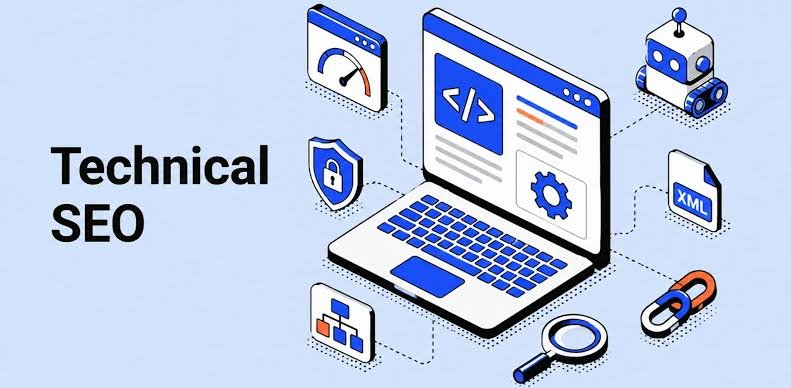
Technical SEO is the process of improving the technical structure and performance of a website so that search engines can crawl, interpret, index, and potentially rank its pages more effectively.
For beginners, Technical SEO may sound complicated. Terms such as crawling, indexing, canonical tags, XML sitemaps, robots.txt, redirects, structured data, and Core Web Vitals can initially feel overwhelming.
The good news is that you do not need to be an expert developer to understand the fundamentals.
In this guide, we will explain Technical SEO in simple language and cover the most important areas you should know.
What Is Technical SEO?
Technical SEO refers to the optimization of the technical aspects of a website that affect search engine crawling, indexing, performance, security, and accessibility.
The main purpose is to make your website easier for:
- Search engines to crawl
- Search engines to understand
- Search engines to index
- Users to navigate
- Browsers to load
Technical SEO works alongside other areas of SEO.
A complete SEO strategy usually includes:
- Technical SEO
- On-Page SEO
- Off-Page SEO
Technical SEO focuses on the technical foundation of your website.
On-Page SEO focuses on elements such as:
- Content
- Keywords
- Titles
- Headings
- Internal links
- Meta descriptions
Off-Page SEO focuses largely on signals outside your website, such as links and brand mentions.
Why Is Technical SEO Important?
Imagine that you create a high-quality blog post.
You spend hours researching the topic and writing useful content.
But your website has technical problems that prevent search engines from discovering or indexing the page properly.
Your excellent content may receive very little organic visibility.
Technical SEO helps reduce these problems.
A technically healthy website can provide a better foundation for:
- Search engine crawling
- Indexing
- User experience
- Website performance
- Mobile usability
- Security
- Search visibility
Technical SEO does not guarantee rankings. Search engines consider many factors when determining search results.
However, technical problems can make it harder for your content to perform.
Technical SEO vs On-Page SEO
These two areas are related but different.
| Technical SEO | On-Page SEO |
|---|---|
| Website speed | Content quality |
| Crawling | Keyword usage |
| Indexing | Title tags |
| XML sitemap | Headings |
| Robots.txt | Meta descriptions |
| HTTPS | Internal links |
| Mobile usability | Content structure |
| Canonical URLs | Search intent |
| Structured data | Image optimization |
A successful website needs both a strong technical foundation and useful content.
How Search Engines Discover Your Website
Before understanding Technical SEO, it helps to understand how search engines generally work.
Search engines use automated systems to discover and process web pages.
Three important concepts are:
Crawling
Search engine crawlers discover and visit URLs.
Indexing
Search engines analyze pages and decide whether they should be included in their search index.
Ranking
When someone searches for something, search engines determine which relevant results should appear and in what order.
A simplified process is:
Discover → Crawl → Understand → Index → Rank
Technical SEO supports the first stages of this process.
What Is Crawling?
Crawling is the process through which search engine crawlers discover and access web pages.
Search engine crawlers can discover URLs through:
- Internal links
- External links
- XML sitemaps
- Previously discovered URLs
If important pages are difficult to discover or access, they may have problems getting crawled.
What Is Indexing?
Indexing is the process of storing and processing information about web pages so that they can potentially appear in search results.
A page being crawled does not automatically mean it will rank.
Similarly, being indexed does not guarantee a high position.
This distinction is important for beginners.
Crawling
The search engine accesses the page.
Indexing
The search engine processes and may store the page.
Ranking
The search engine determines how relevant the page is for particular searches.
What Is an XML Sitemap?
An XML sitemap is a file that provides search engines with information about URLs that you want them to discover.
A sitemap can be particularly useful for:
- Large websites
- New websites
- Websites with many pages
- Websites with complex structures
A typical sitemap URL might look like:
example.com/sitemap.xml
The exact location depends on how the website is configured.
A sitemap should generally contain the important URLs you want search engines to discover.
Why Is an XML Sitemap Important?
An XML sitemap can help search engines discover important pages more efficiently.
However, a sitemap is not a guarantee that every URL will be indexed.
It is better to think of it as a discovery aid rather than an indexing guarantee.
What Is Robots.txt?
The robots.txt file provides instructions to crawlers about which areas of a website they may or may not access.
It is usually located at:
example.com/robots.txt
For example, a website might use robots.txt to manage crawler access to certain areas that do not need to be crawled.
However, beginners should be careful when editing robots.txt.
Incorrect rules can accidentally prevent search engines from accessing important pages.
Robots.txt vs Noindex
These concepts are often confused.
Robots.txt
Controls crawler access to specified URLs or paths.
Noindex
Tells search engines that a page should not be included in their index.
They are not interchangeable.
If you want a page excluded from search results, using an appropriate noindex directive can be more suitable than simply blocking crawling.
What Is a Canonical URL?
A canonical URL helps search engines understand which version of a URL should be treated as the preferred version when multiple URLs contain similar or duplicate content.
For example, the same content might be accessible through different URL variations.
A canonical tag can communicate which URL is preferred.
This can help reduce confusion caused by duplicate or near-duplicate URLs.
Why Canonical Tags Matter
Canonicalization can be particularly important for websites with:
- E-commerce filters
- URL parameters
- Duplicate pages
- Multiple URL versions
- Similar content
For example:
example.com/product
and
example.com/product?color=blue
may represent related versions of a page.
A suitable canonical strategy can help search engines understand the preferred URL.
Website Speed and Technical SEO
Website performance is an important part of technical website optimization.
Users generally expect websites to load quickly.
Slow websites can create a poor user experience.
Common causes of slow websites include:
- Large images
- Too many scripts
- Poor hosting
- Unoptimized code
- Excessive plugins
- Third-party resources
- Large page sizes
Improving website performance can help create a better experience for visitors.
How to Improve Website Speed
You can start with these actions:
Compress Images
Use appropriately sized and compressed images.
Use Modern Image Formats
Depending on your website and browser support, formats such as WebP or AVIF can reduce image size.
Reduce Unnecessary Plugins
If you use a CMS such as WordPress, remove plugins you do not need.
Minimize Unnecessary Code
Reduce unnecessary CSS and JavaScript where practical.
Use Browser Caching
Caching can help browsers reuse certain resources.
Use a Content Delivery Network
A CDN can help deliver website resources from servers closer to users.
Choose Good Hosting
Your hosting environment can influence website performance.
What Are Core Web Vitals?
Core Web Vitals are user-experience metrics used to evaluate important aspects of page performance.
The primary metrics include:
Largest Contentful Paint — LCP
Measures loading performance.
Interaction to Next Paint — INP
Measures responsiveness to user interactions.
Cumulative Layout Shift — CLS
Measures visual stability.
These metrics help website owners understand whether pages provide a good user experience.
Mobile SEO and Technical SEO
Today, many people access websites through smartphones.
Therefore, mobile optimization is essential.
Your website should:
- Work properly on mobile devices
- Have readable text
- Provide usable buttons
- Avoid unnecessary horizontal scrolling
- Load efficiently
- Display content correctly
A responsive design allows a website to adapt to different screen sizes.
What Is Mobile-First Indexing?
Search engines can use the mobile version of a website’s content for indexing.
This means website owners should ensure that important content and functionality are available on mobile.
Do not create a mobile version that removes important content simply to make the page shorter.
The mobile experience should provide access to the information users need.
HTTPS and Website Security
HTTPS encrypts communication between a user’s browser and the website.
A secure website generally uses URLs beginning with:
https://
rather than:
http://
HTTPS is important for:
- User security
- Data protection
- Trust
- Secure transactions
It is especially important for websites that collect information such as:
- Passwords
- Contact forms
- Payment details
- Personal information
Website Architecture
Website architecture refers to how pages are organized and connected.
A clear structure helps users navigate the website and can also help search engines understand relationships between pages.
For example:
Homepage
↓
Digital Marketing
↓
SEO
↓
Technical SEO
↓
Technical SEO Checklist
This type of structure creates logical relationships between topics.
Why Internal Linking Matters
Internal links connect pages on the same website.
For example, your Technical SEO article could link to:
- SEO for Beginners
- Keyword Research
- On-Page SEO
- Website Traffic
- Content Marketing
Internal links can help:
- Users discover related content
- Search engines discover pages
- Establish relationships between topics
- Distribute internal link signals
Use descriptive anchor text where appropriate.
URL Structure
A good URL should be:
- Clear
- Descriptive
- Concise
- Easy to understand
For example:
example.com/technical-seo/
is easier to understand than:
example.com/page?id=73892
Avoid unnecessarily complicated URLs.
Redirects and Technical SEO
A redirect sends visitors and crawlers from one URL to another.
The most common redirect is a 301 redirect, which is generally used when a page has permanently moved.
Redirects can be useful when:
- Changing URLs
- Moving websites
- Removing duplicate pages
- Consolidating content
- Changing domains
Avoid creating unnecessary redirect chains.
What Is a Redirect Chain?
A redirect chain occurs when one URL redirects to another URL, which then redirects to another.
For example:
URL A → URL B → URL C
This can create unnecessary complexity.
Where possible, redirect the original URL directly to the final destination:
URL A → URL C
Broken Links
A broken link leads to a page that no longer works or returns an error.
For example:
A page links to:
example.com/old-page
but the page has been deleted.
Regularly checking for broken internal links can improve website usability.
404 Errors
A 404 error generally means the requested page cannot be found.
A website may show a custom 404 page that helps users find useful alternatives.
A good 404 page can include:
- Navigation
- Search
- Popular articles
- Homepage link
- Helpful categories
Not every 404 URL is automatically an SEO problem.
The goal is to make sure important pages are accessible and that users can recover from broken URLs.
Structured Data and Schema Markup
Structured data provides additional machine-readable information about content on a webpage.
It can help search engines understand the meaning and type of content.
Examples include structured data for:
- Articles
- Products
- Events
- Organizations
- Breadcrumbs
- Local businesses
- Recipes
Structured data does not guarantee enhanced search results, but it can help search engines interpret content more effectively.
Breadcrumbs
Breadcrumbs show users where they are within a website.
For example:
Home → Digital Marketing → SEO → Technical SEO
Breadcrumbs can improve navigation and help users understand the website structure.
They can also provide useful contextual information to search engines.
Duplicate Content
Duplicate or substantially similar content can make it more difficult for search engines to determine which version should be prioritized.
Duplicate content can occur because of:
- Multiple URL versions
- Product variations
- Printer-friendly pages
- URL parameters
- Content copied across pages
Technical SEO helps you manage these situations through strategies such as:
- Canonical URLs
- Redirects
- Consistent internal linking
- Appropriate URL structures
JavaScript and SEO
Modern websites often use JavaScript to create interactive experiences.
JavaScript can be useful, but excessive reliance on client-side rendering can create challenges if important content is not properly accessible to search engines.
Important content should be available in a way that search engines can process effectively.
Developers and SEO professionals should work together when a website heavily relies on JavaScript.
Technical SEO for WordPress Websites
WordPress is widely used by bloggers and businesses.
Some basic Technical SEO practices for WordPress include:
- Use a reliable hosting provider
- Keep WordPress updated
- Keep themes and plugins updated
- Remove unnecessary plugins
- Use an SEO plugin if appropriate
- Optimize images
- Create XML sitemaps
- Use HTTPS
- Improve website speed
- Use a responsive theme
- Fix broken links
- Maintain a logical URL structure
Popular SEO plugins can help beginners manage certain SEO settings, but installing a plugin does not automatically make a website technically optimized.
Technical SEO Tools
Several tools can help you identify technical problems.
Google Search Console
Useful for understanding:
- Search performance
- Indexing
- Search queries
- Page indexing issues
- Sitemap submission
- Website-related search data
Google PageSpeed Insights
Useful for analyzing page performance and identifying potential performance improvements.
Screaming Frog SEO Spider
Useful for crawling websites and identifying technical issues such as:
- Broken links
- Redirects
- Missing titles
- Duplicate elements
- Status codes
Bing Webmaster Tools
Provides additional website and search-performance insights.
Lighthouse
A browser-based auditing tool that can help evaluate performance, accessibility, best practices, and SEO-related factors.
Technical SEO Audit: Step-by-Step Process
A Technical SEO audit is a systematic review of a website’s technical health.
Here is a beginner-friendly process.
Step 1: Check Website Accessibility
Make sure important pages can be accessed normally.
Step 2: Check HTTPS
Confirm that your website uses HTTPS correctly.
Step 3: Check Mobile Usability
Test important pages on smartphones.
Step 4: Check Website Speed
Review performance and identify slow pages.
Step 5: Check Indexing
Use search engine tools to identify indexing issues.
Step 6: Review XML Sitemap
Make sure your sitemap is accessible and contains appropriate URLs.
Step 7: Review Robots.txt
Check that important pages are not accidentally blocked.
Step 8: Check Canonical Tags
Review important pages for appropriate canonicalization.
Step 9: Find Broken Links
Identify and fix important broken internal links.
Step 10: Review Redirects
Look for unnecessary redirect chains and loops.
Step 11: Review URL Structure
Make sure URLs are logical and descriptive.
Step 12: Check Structured Data
Verify that structured data is implemented correctly where appropriate.
Technical SEO Checklist for Beginners
Use this checklist when reviewing your website.
Crawling
- Important pages are accessible
- Important pages are internally linked
- Robots.txt is correctly configured
- XML sitemap exists
Indexing
- Important pages can be indexed
- Unwanted pages are handled appropriately
- Canonical URLs are correctly implemented
- Duplicate pages are managed
Performance
- Website loads efficiently
- Images are optimized
- Unnecessary scripts are reduced
- Core Web Vitals are monitored
Mobile
- Website is responsive
- Text is readable
- Buttons are usable
- Important content works on mobile
Security
- HTTPS is enabled
- Security certificates are valid
- Website software is updated
Navigation
- Internal links work
- Broken links are fixed
- URLs are logical
- Redirects are managed
Common Technical SEO Mistakes
Mistake 1: Blocking Important Pages
An incorrect robots.txt configuration can prevent crawlers from accessing important content.
Mistake 2: Ignoring Website Speed
Slow pages can create poor user experiences.
Mistake 3: Poor Mobile Experience
A website that works well on desktop but poorly on mobile can lose users.
Mistake 4: Creating Too Many Redirects
Unnecessary redirects can make website architecture more complicated.
Mistake 5: Using Complicated URLs
Keep your URLs simple and descriptive.
Mistake 6: Ignoring Broken Links
Broken links can frustrate users and make navigation harder.
Mistake 7: Installing Too Many SEO Plugins
More plugins do not automatically mean better SEO.
Use only the tools and plugins you actually need.
Mistake 8: Forgetting Internal Links
A strong internal linking structure helps users and search engines discover related content.
Technical SEO vs Content SEO
Technical SEO and content SEO should work together.
Imagine you create the best article on the internet.
If the website:
- Loads extremely slowly
- Is difficult to crawl
- Has broken navigation
- Is not mobile-friendly
- Has indexing problems
the content may not perform as expected.
On the other hand, a technically excellent website with poor content may also struggle to attract meaningful organic traffic.
The strongest strategy combines:
Technical Foundation + High-Quality Content + Strong User Experience + Authority
How Often Should You Perform a Technical SEO Audit?
There is no universal schedule.
A website should be monitored continuously, while deeper audits can be performed periodically.
You should also review Technical SEO after major changes such as:
- Website redesign
- Domain migration
- URL changes
- CMS migration
- Large content updates
- Major plugin changes
- Hosting changes
Regular monitoring helps you identify problems before they become serious.
Technical SEO for a New Website
If you are launching a new website, establish the technical foundation before publishing hundreds of pages.
Start with:
- HTTPS
- Mobile-friendly design
- Logical URL structure
- Clean navigation
- XML sitemap
- Correct robots.txt
- Fast hosting
- Optimized images
- Internal linking
- Search Console setup
Then begin publishing useful content.
Technical SEO for E-Commerce Websites
E-commerce websites can have additional technical challenges because they often contain thousands of URLs.
Common issues include:
- Product variations
- Filters
- Sorting URLs
- Duplicate product pages
- Pagination
- Out-of-stock products
- Category structures
A clear URL and indexing strategy is particularly important for large e-commerce websites.
Technical SEO and Website Migration
Website migrations require careful planning.
A migration might involve:
- Changing domains
- Changing URLs
- Moving from one CMS to another
- Redesigning the website
Important tasks include:
- Creating URL mapping
- Setting appropriate redirects
- Updating internal links
- Checking canonical tags
- Updating XML sitemaps
- Monitoring indexing
- Testing important pages
A poorly managed migration can result in significant organic traffic problems.
How Beginners Can Learn Technical SEO
You do not need to learn everything at once.
Follow this learning sequence:
Level 1: Fundamentals
Learn:
- Crawling
- Indexing
- Ranking
- Sitemaps
- Robots.txt
Level 2: Website Structure
Learn:
- URLs
- Internal links
- Navigation
- Canonical tags
- Redirects
Level 3: Performance
Learn:
- Page speed
- Core Web Vitals
- Image optimization
- JavaScript performance
Level 4: Advanced Concepts
Learn:
- Structured data
- JavaScript SEO
- Large-scale crawling
- International SEO
- Website migrations
This gradual approach makes Technical SEO easier to understand.
Final Thoughts
Technical SEO is the foundation that helps your website remain accessible, understandable, crawlable, and usable.
You don’t need to become a professional developer to understand the basics.
Start with the fundamentals:
Crawling
Indexing
Sitemaps
Robots.txt
HTTPS
Mobile optimization
Website speed
Core Web Vitals
Canonical URLs
Internal linking
Structured data
Redirects
Website architecture
Once you understand these concepts, you can start performing basic Technical SEO audits and identifying common website problems.
Remember that Technical SEO is only one part of a successful SEO strategy. Combine a healthy technical foundation with useful content, good keyword research, strong on-page optimization, and a positive user experience.
A technically sound website gives your content a stronger foundation for organic search visibility.
Frequently Asked Questions
What is Technical SEO?
Technical SEO is the process of improving the technical aspects of a website to help search engines crawl, understand, and index its pages while also improving user experience and website performance.
Is Technical SEO difficult for beginners?
The advanced side can become technical, but beginners can learn the fundamentals step by step without becoming expert programmers.
Is Technical SEO important for small websites?
Yes. Even small websites can benefit from good website structure, mobile usability, fast loading, secure connections, and proper indexing.
Does Technical SEO guarantee higher rankings?
No. Technical SEO is one part of SEO. Rankings depend on many factors, including relevance, content quality, competition, authority, and user experience.
What is the most important part of Technical SEO?
There is no single factor that is always the most important. A good technical foundation should make important pages accessible, crawlable, indexable, fast, secure, and usable.
What tools can beginners use for Technical SEO?
Google Search Console, PageSpeed Insights, Lighthouse, and crawling tools such as Screaming Frog can help beginners identify technical issues.
How often should I check Technical SEO?
Monitor your website regularly and perform deeper audits periodically, especially after major website changes or migrations.